
Client areaLog in
Book a call
Product

An app, not a report

Your costs explained, your levers ranked, your commitments planned: recomputed at every collection, read-only, at your place or ours. The same rules as our consultants, with no figure invented.

The app

Screen by screen

The current app, on the synthetic data of a fictitious “Sample client”. Screens move on by themselves: hover to hold them, or take over.
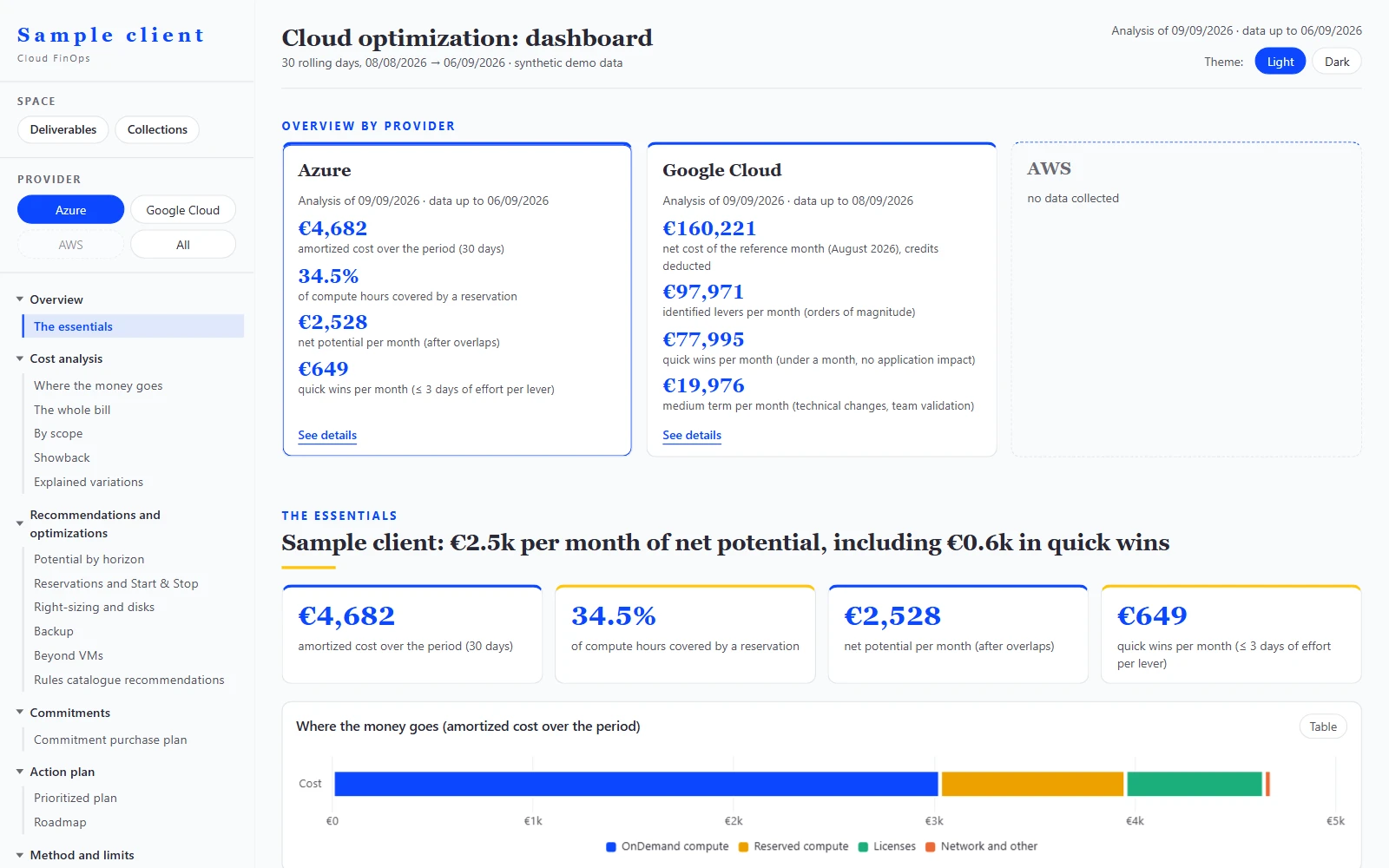
  1. Overview of the KeeFinops app on synthetic data: left-hand menu with the provider selector and the client space, one card per provider with its key indicators.
    Overview. Azure and Google Cloud side by side, left-hand menu and provider selector.
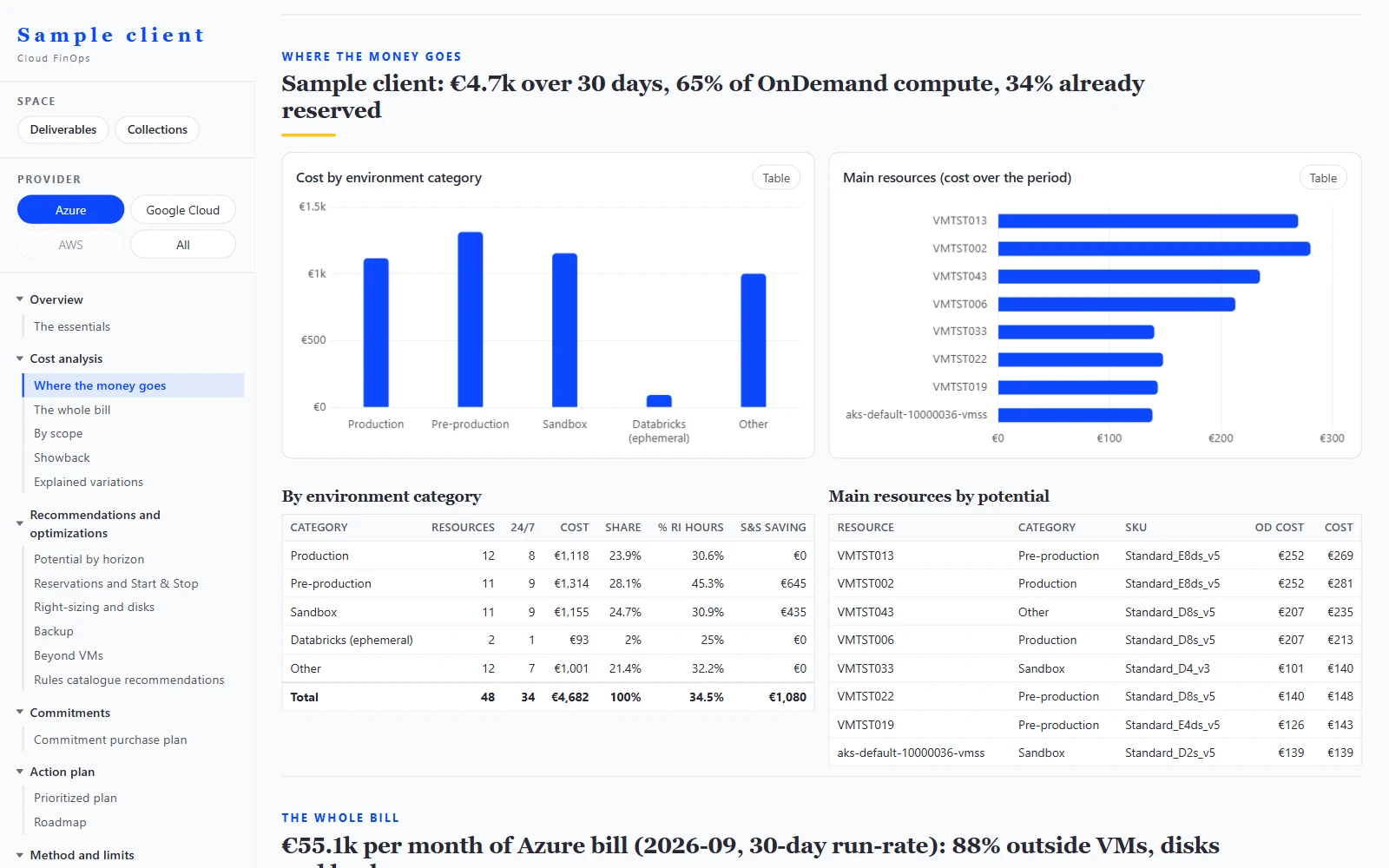
  2. Where the money goes screen on synthetic data: cost by environment category and top resources of the period, next to the app menu.
    Where the money goes. By environment and by resource, on amortized cost.
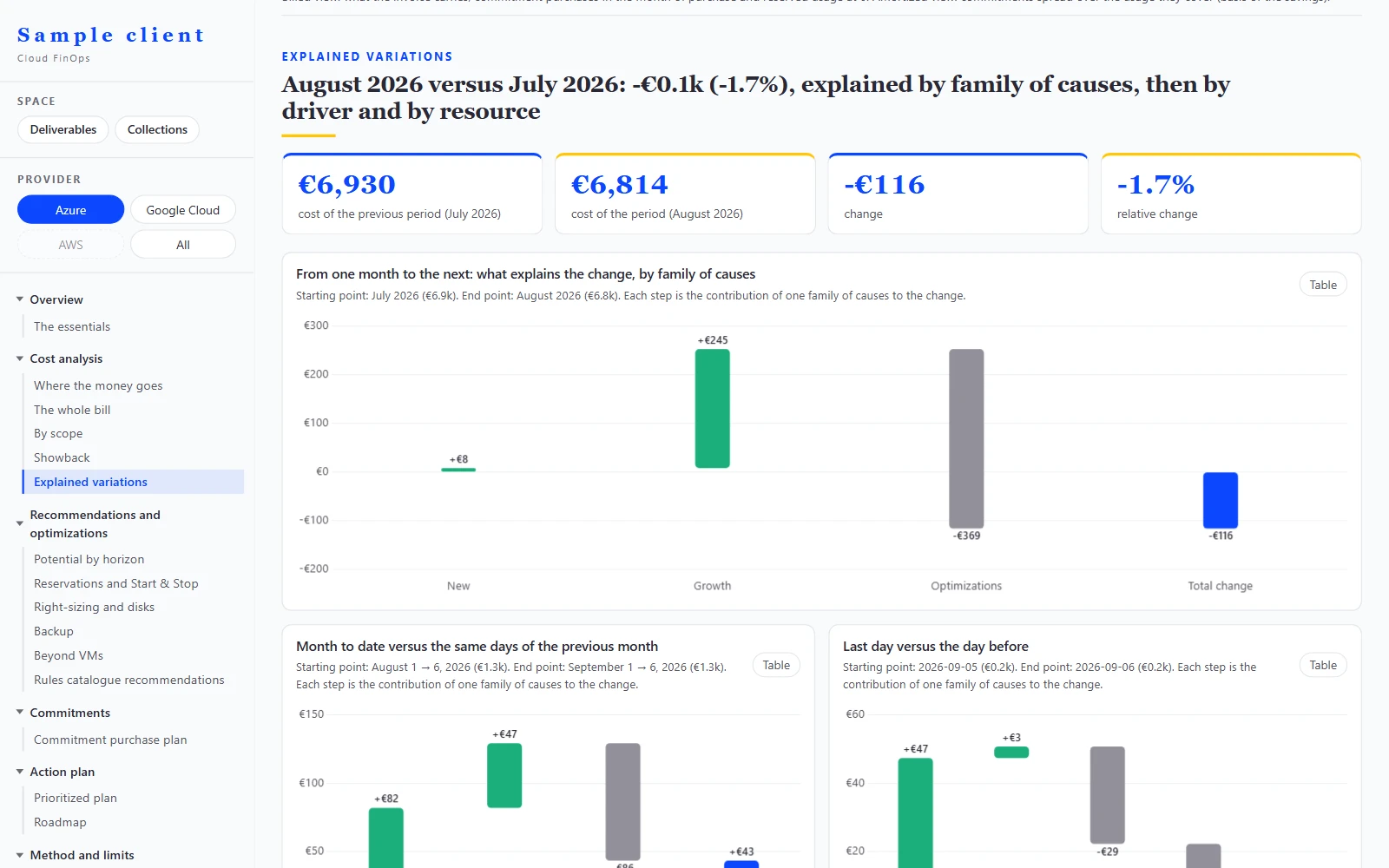
  3. Explained variances screen on synthetic data: waterfall of the monthly change by family of causes, then current month and last day.
    Every change explained. By family of causes, month on month and day on day.
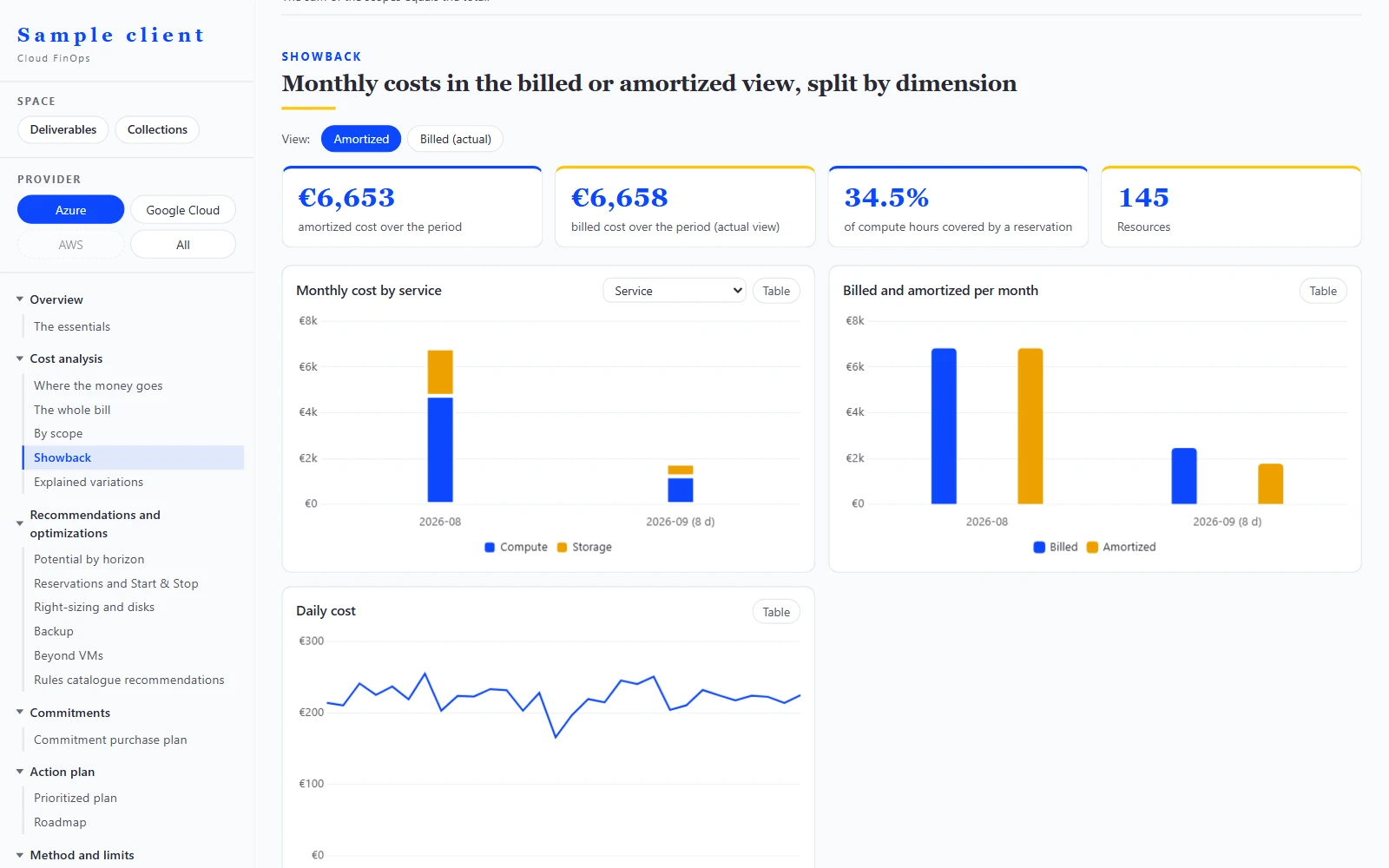
  4. Showback screen on synthetic data: toggle between billed and amortized view, monthly cost by service with a choice of dimension.
    Billed or amortized, in one click. Switch view and dimension.
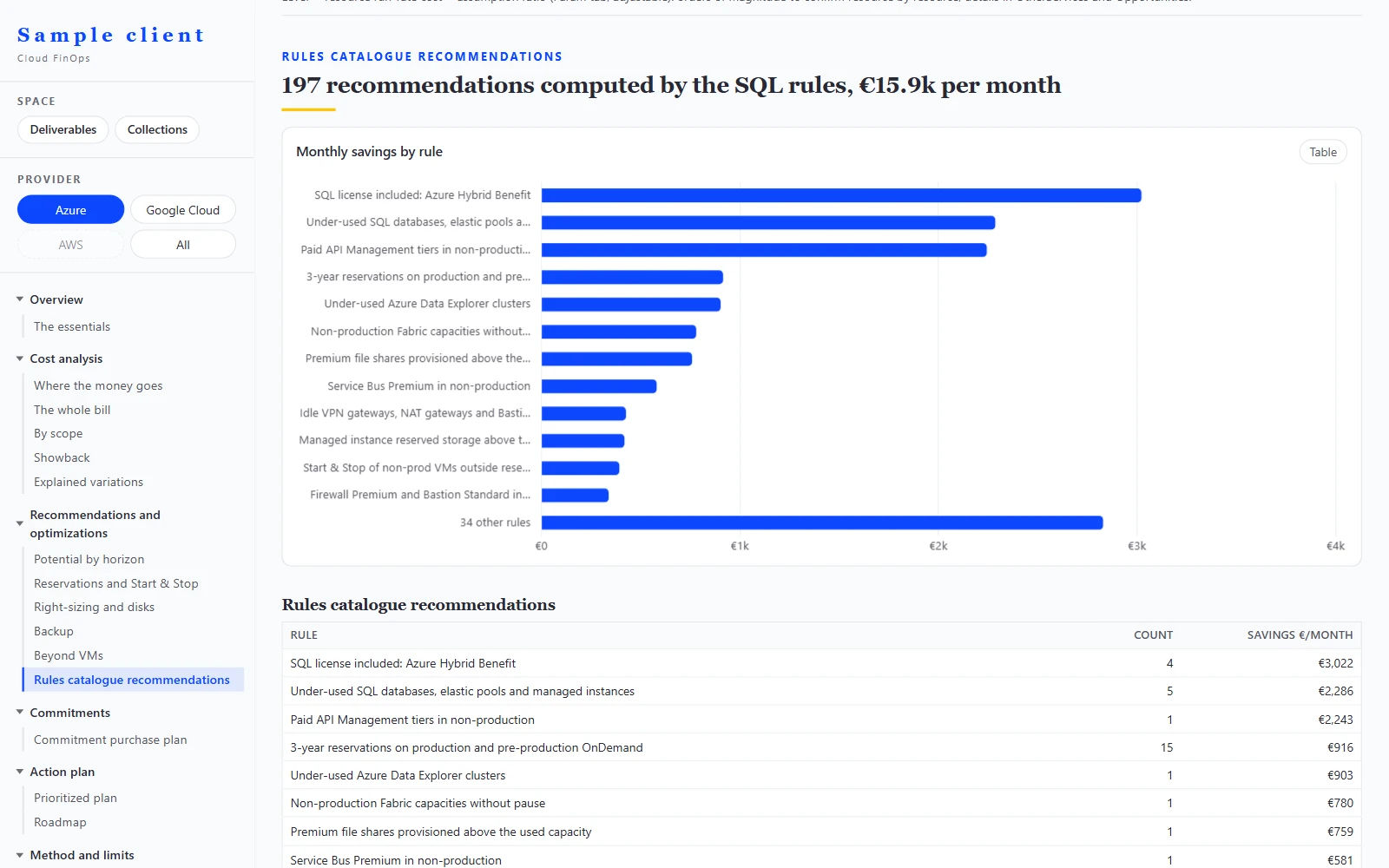
  5. Rules catalogue recommendations screen on synthetic data: monthly saving by rule, then table of recommendations with their count and saving.
    Catalogue recommendations. Each rule with its number of cases and its monthly saving.
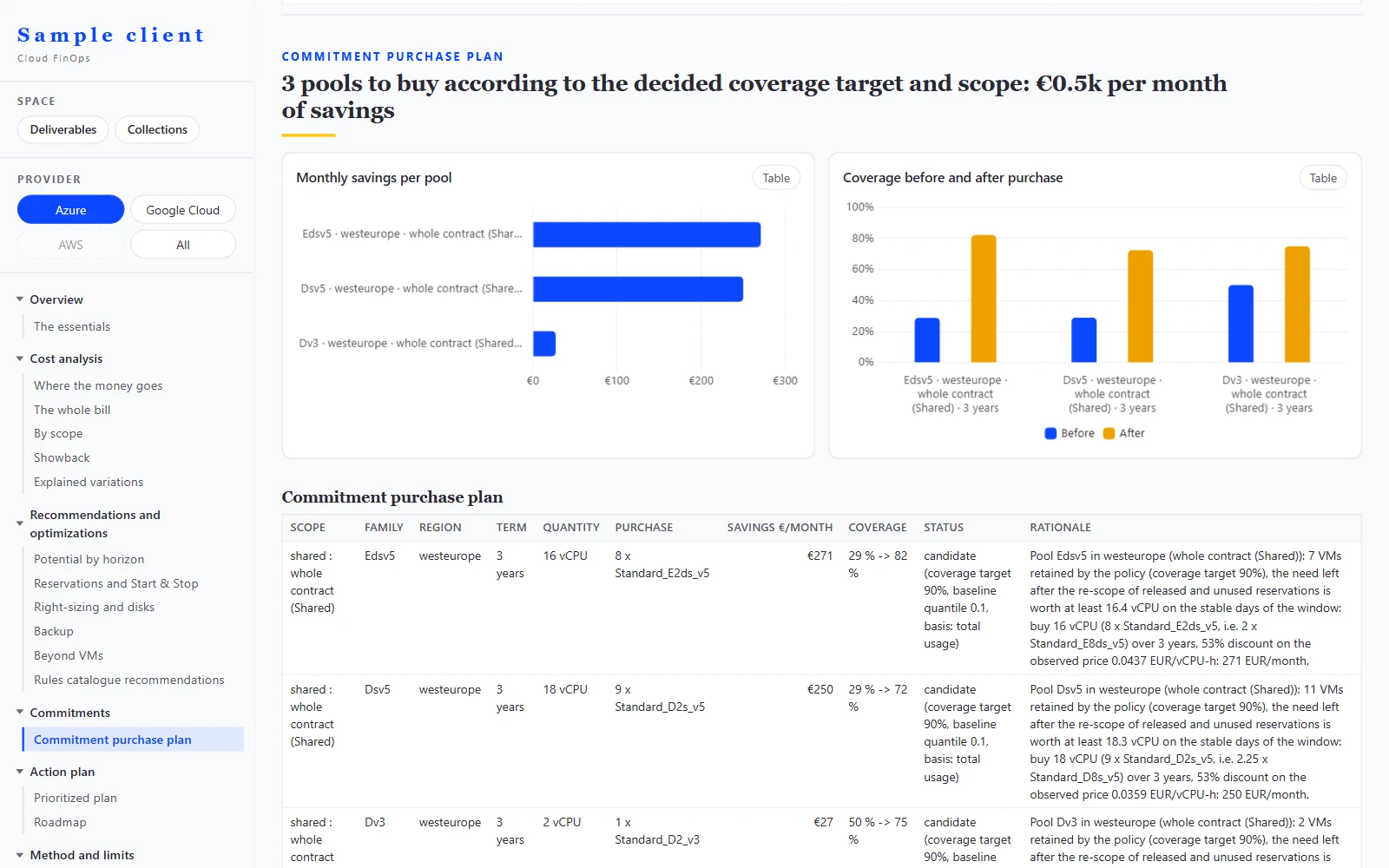
  6. Commitment purchase plan screen on synthetic data: monthly saving by pool, coverage before and after purchase, then the detailed purchase plan with its justification.
    Commitments planned. Reservations and Savings Plans at the observed discount, after reduction.
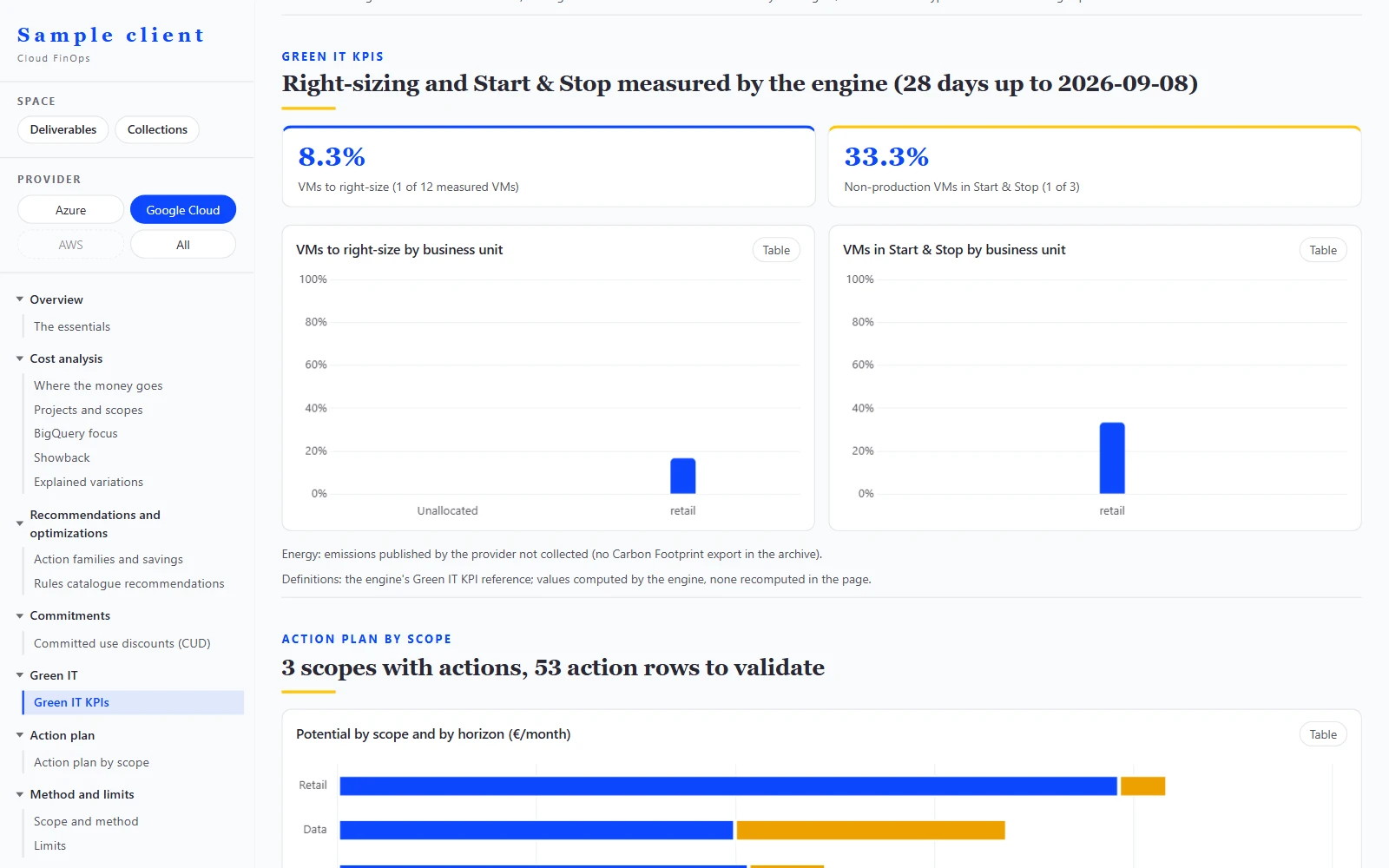
  7. Green IT KPIs screen on synthetic data, Google Cloud selected: share of virtual machines to right-size and share of non-production in Start & Stop, by entity, measured by the engine.
    Green IT. VMs to right-size and non-production to switch off, measured by the engine.
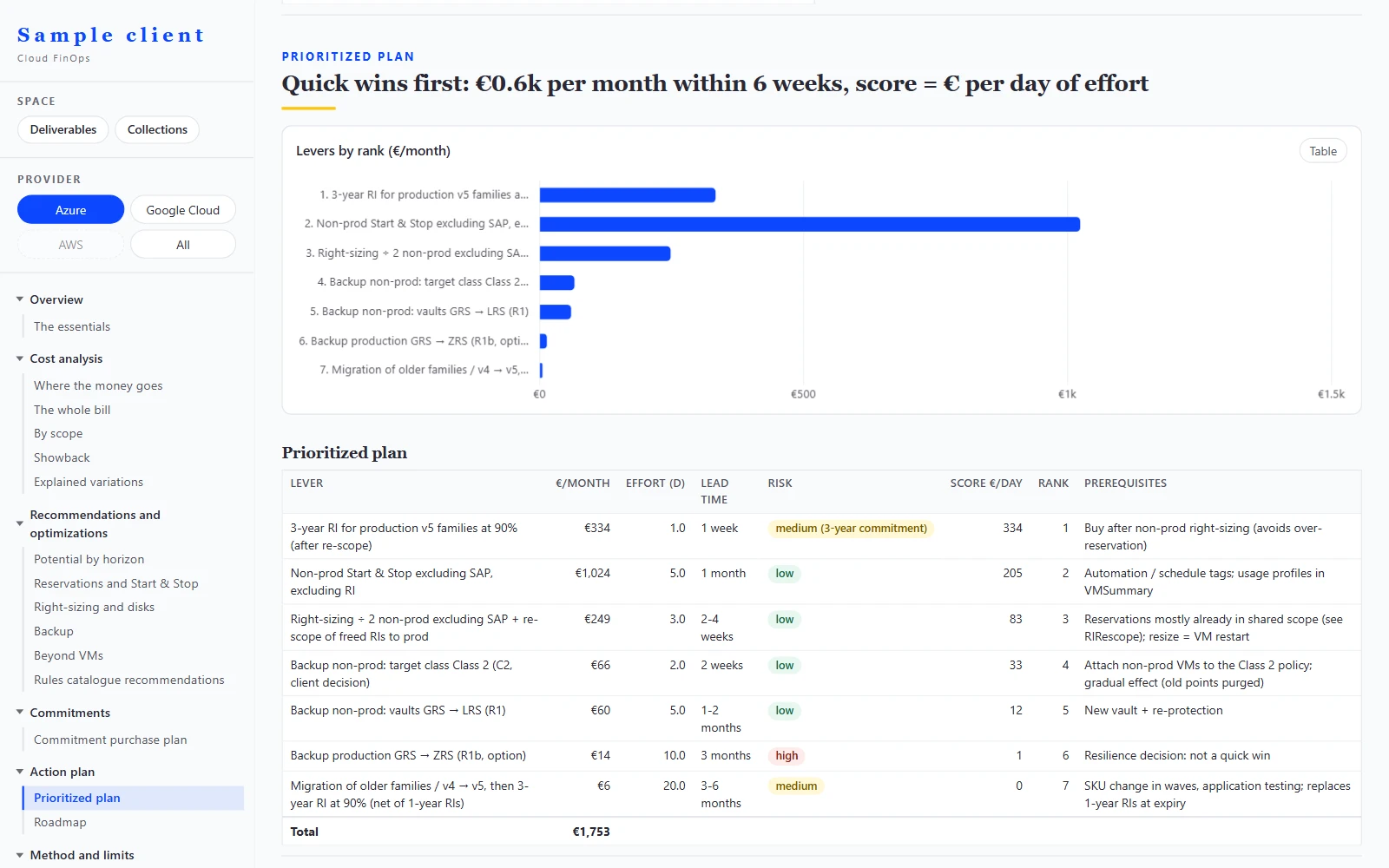
  8. Prioritized plan screen on synthetic data: levers ranked by monthly saving, with effort, lead time, risk, score and rank.
    Levers ranked. By euro saved per day of effort, with their risk.
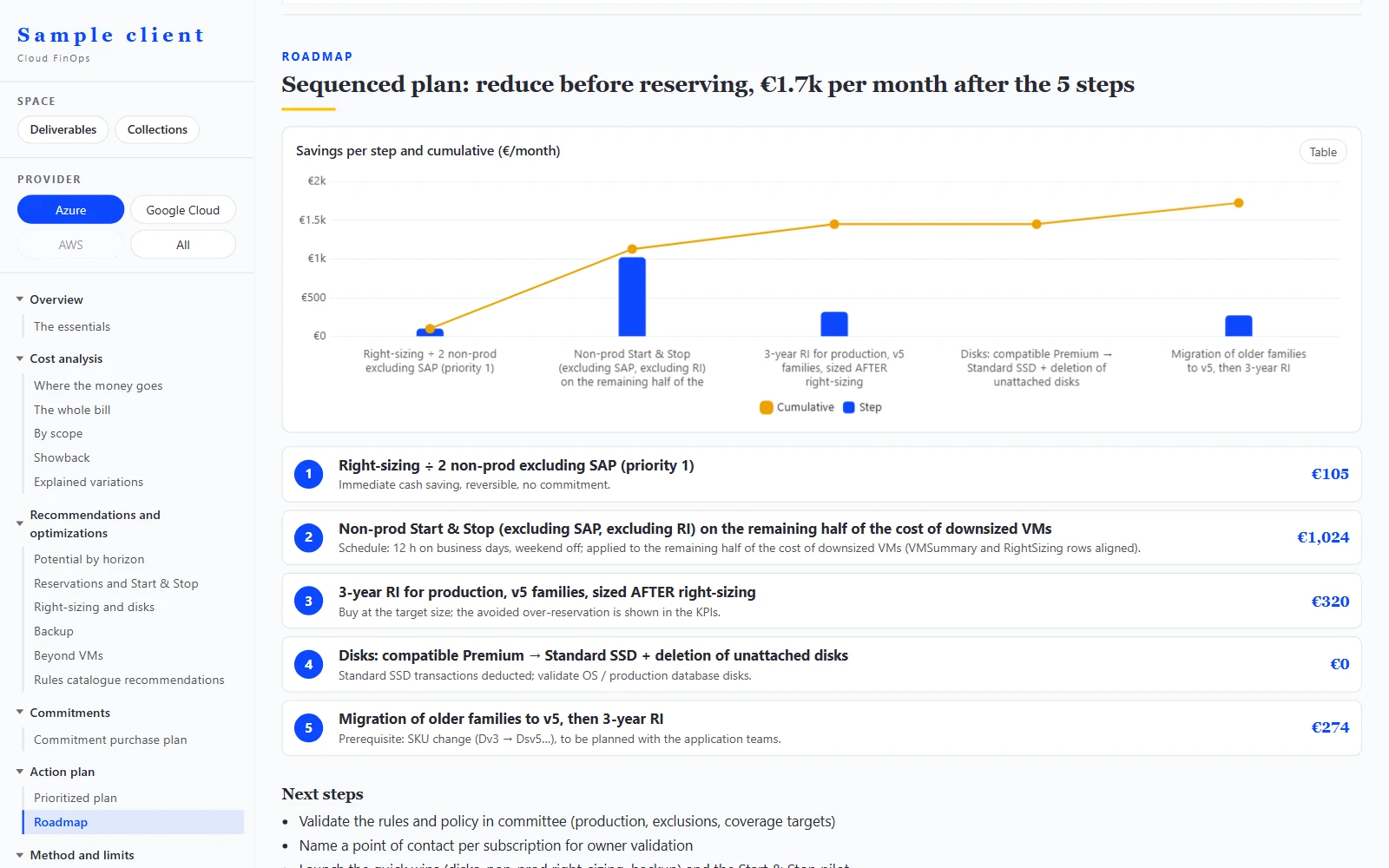
  9. Roadmap screen on synthetic data: saving per step and cumulative saving, then the numbered steps with their monthly saving.
    Reduce before you reserve. The steps and the cumulative gain.
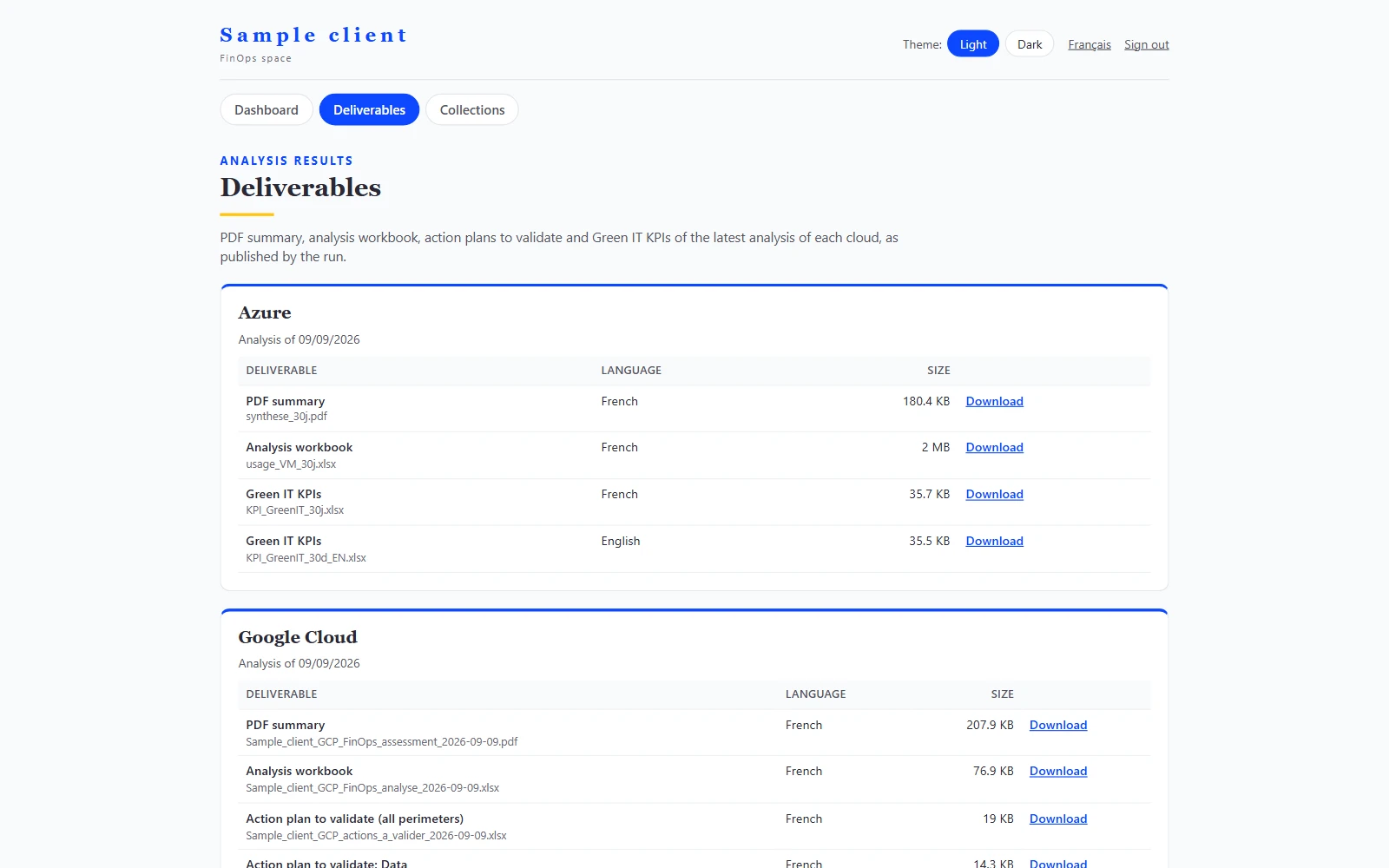
  10. Deliverables tab of the client space on synthetic data: PDF summaries, analysis workbooks, action plans and Green IT KPIs from the latest analysis, ready to download.
    Deliverables one click away. PDF summaries, workbooks and action plans from the latest analysis.
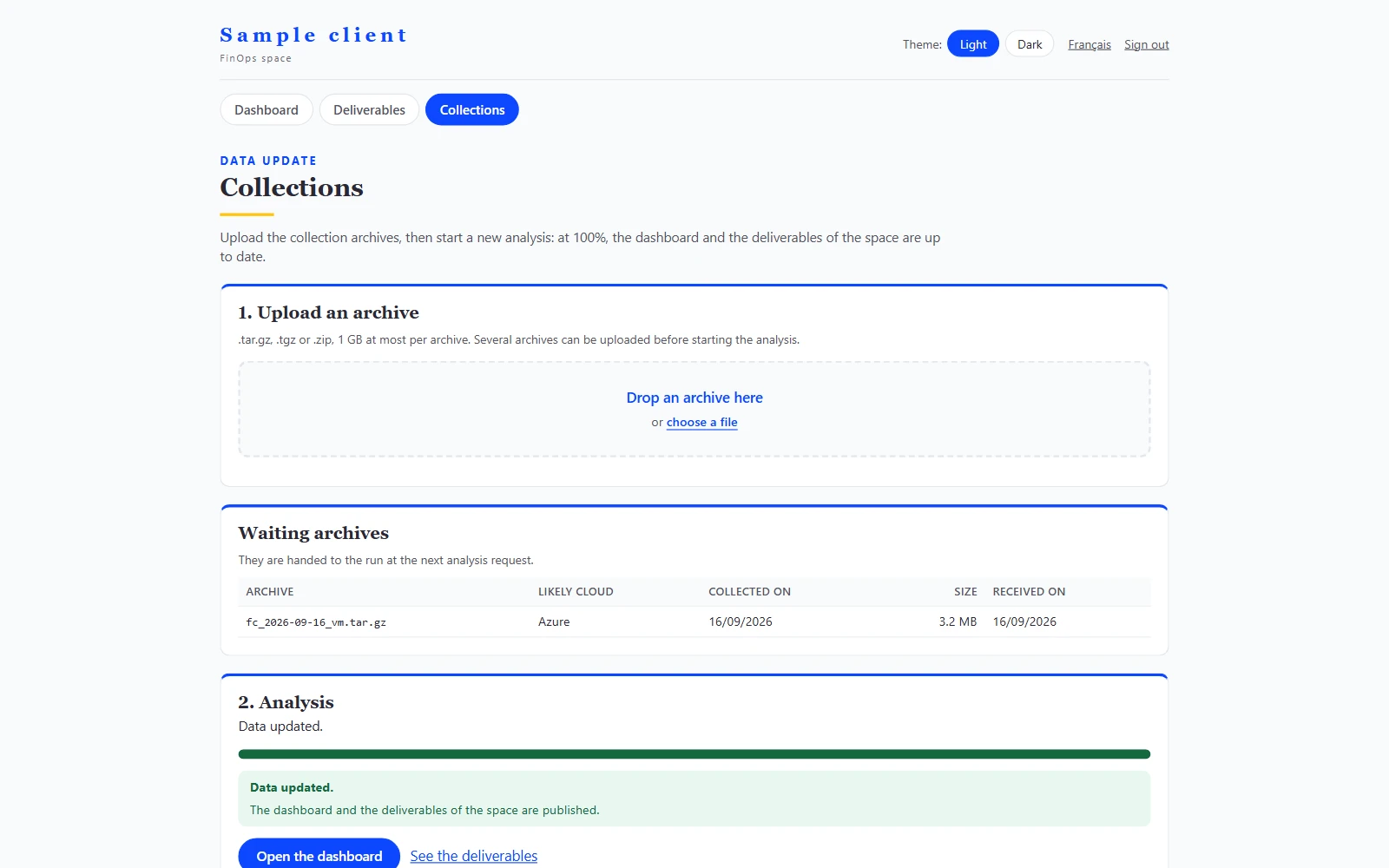
  11. Collections tab of the client space on synthetic data: upload of collection archives, waiting archive, status of the latest analysis and result per archive.
    Collections uploaded, analysis tracked. Your read-only archives, checked then analyzed.
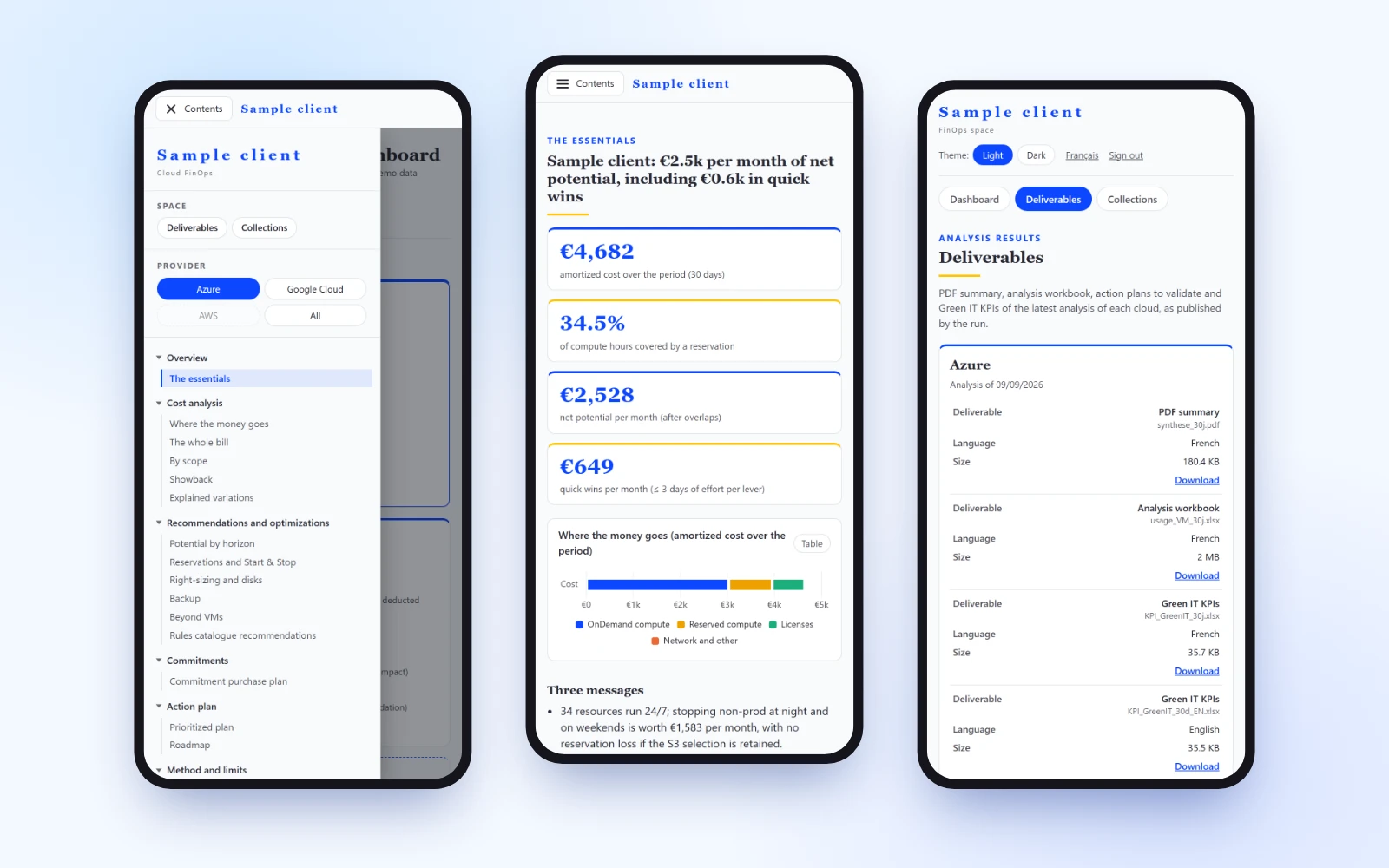
  12. Three views of the app on a phone, on synthetic data: open menu with the provider selector, overview and deliverables.
    On the phone too. Menu, provider selector and tables readable without zooming.
What the app does

Compute, explain, rank

Costs explained

Every euro of change tied to a cause and a resource, from one month to the next and from one day to the next.

Levers ranked

A plan prioritized by euro saved per day of effort, with risk, prerequisites and owner; a sequenced roadmap.

Commitments planned

Reservations, Savings Plans and CUDs bought at the observed discount, after reduction, at the coverage you choose.

Chargeback: planned

Showback

Billed or amortized view, by service, environment, application or subscription. Planned: business dimensions by rules and chargeback configured per client.

Indicators available, emissions planned

Green IT

Share of correctly sized VMs and share of non-production shut down, by entity. Planned: the monthly import of the emissions published by Azure, Google Cloud and AWS, attached to the same dimensions as costs.

API available, agent planned

Agent and API

A read API on the same tables. Planned: an agent that will answer questions and write summaries, never inventing a figure the app did not compute.

Planned · design partners wanted

AI costs: track and rebill, by team and by client

For IT services firms, agencies and software vendors that consume OpenAI, Anthropic, Azure OpenAI or a LiteLLM gateway on behalf of their clients: know what each client costs, and rebill it with your margin.
  • AI costs collected read-only, by provider, by key and by project; Copilot, ChatGPT and Claude seats in the same view
  • Allocation by team, project and client; budgets and alerts
  • Rebilling statements with your margin, in euros
  • Hosted by KeeFinops or in your environment; your admin key stays with you; no data from your end clients
Design partners. We are opening the module with a small number of IT services firms, agencies and software vendors. You bring an interview, your AI billing exports and read-only access. You receive the reconciliation between your invoices and your current allocation, the gaps priced, early access and a say in the roadmap.
Deployment and security

At your place or ours, always read-only

The collector runs at your place with read-only rights. The rest fits in a single container image: hosted by KeeFinops with one space per client, or deployed in your environment.
  • No write or administration rights on your resources, ever
  • Secrets provided by environment variables or a vault, never stored in files
  • Portal with named accounts and SSO; strict separation between clients
Sources today. Azure and Google Cloud: billing, inventory, metrics, recommendations. AWS: Data Exports, being recalibrated on a first real export.

See the app on your data

Thirty minutes to set up a demo on a real scope, read-only.